Skip to content

Optional features

Ten things that can be added to a charging locker, and the honest case against each one. Most sites need two or three. Nobody needs all ten.

Ultrafast PD charging

PD 20 W, 40 W or 65 W in place of 5 V / 2.4 A

Standard bays deliver 5 V at 2.4 A, which is a real charge but a slow one. Power Delivery raises that to 20 or 40 watts on a phone and 65 watts on a laptop bay — roughly nought to fifty per cent on a current iPhone in half an hour rather than an hour and a half. Where users are waiting for the device rather than parking it, this is the option that decides whether the unit feels useful.

When to decline it

It only helps a device that negotiates PD. An older phone, a radio or a scanner charges at the same rate either way, so on a pooled-device cabinet that sits on charge overnight this is money spent on nothing.
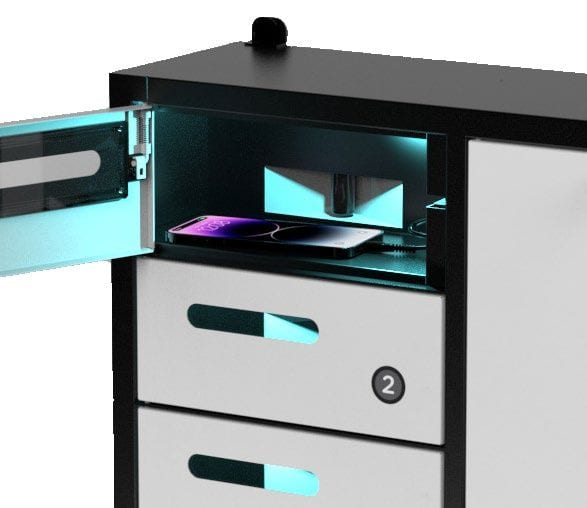
An open charging locker bay lit by an internal ultraviolet lamp, with a device inside on charge

UV-C sanitising

254 nm lamps running a short cycle inside the closed bay

Three-watt UV-C lamps at 254 nm fitted inside each bay, running while the door is shut and the device is charging. It is specified most often in clinics, food handling areas, schools and anywhere a device is genuinely shared between people rather than assigned to one.

When to decline it

Read the claim carefully. Laboratory figures are measured on a bare, directly exposed surface — a phone in a textured case, screen-down, does not get that dose. It is a reasonable hygiene measure and a good answer to a question users ask; it is not sterilisation and should not be sold as one.

Advertising & digital signage

14", 15.6", 21.5", 27" or 43" HD display above the bays

An Android media player behind an HD panel, scheduled from a browser — different content by date and time, multiple playlists, split-screen zones, and it resumes on its own after a power cut. Or a backlit billboard instead, if a printed poster changed twice a year is honestly all the site needs. This is what turns a charging locker from a facilities cost into a placement that can be sponsored.

When to decline it

A screen with nobody scheduling content becomes a screen showing the same loop for two years, which reads worse than no screen at all. Only specify it where a person is named to own the playlist.

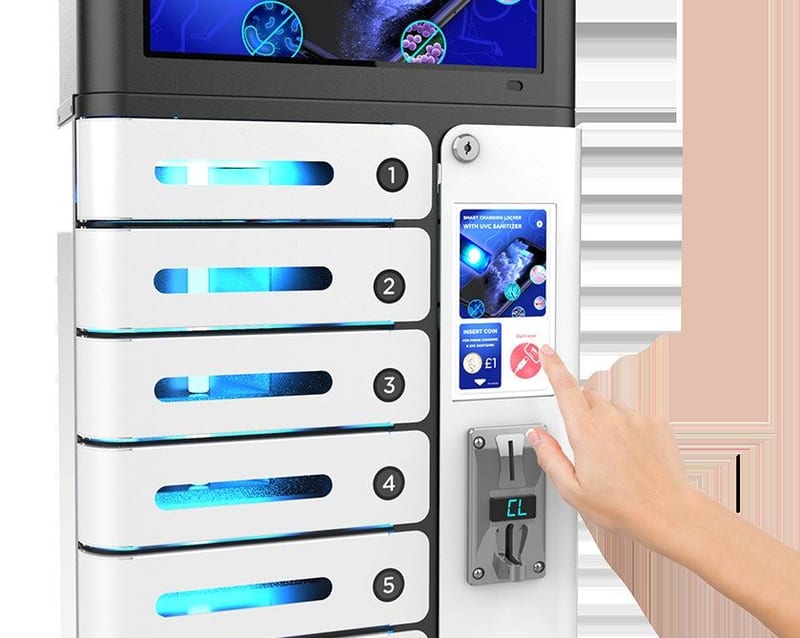
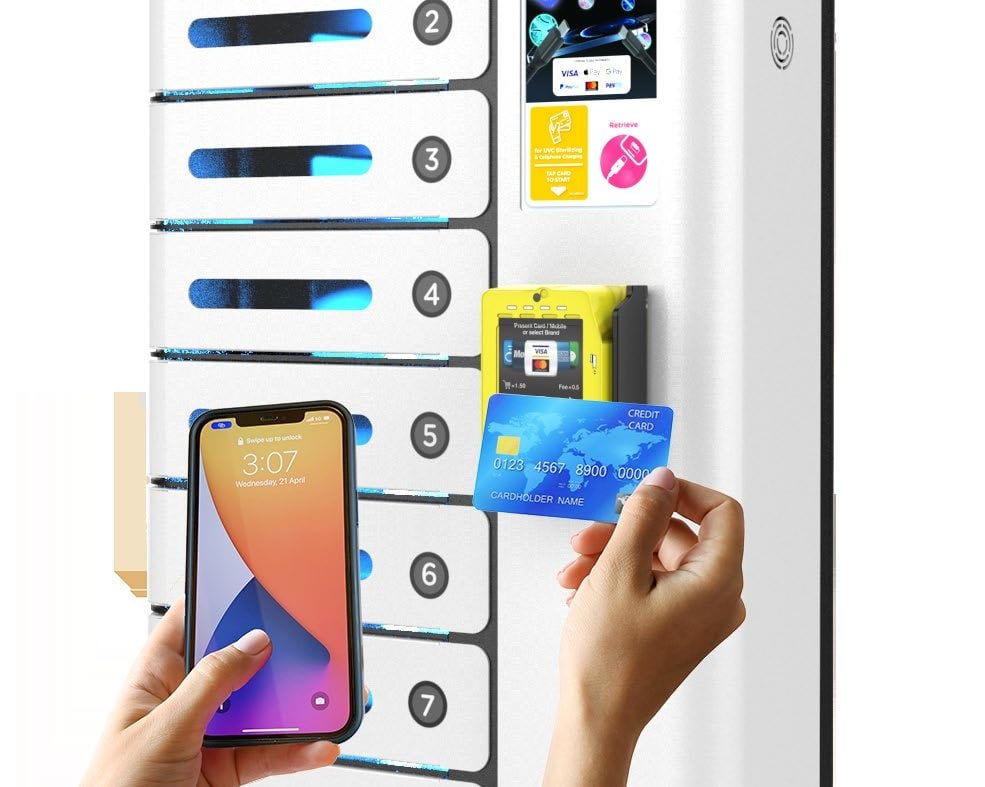
A hand holding a payment card and a phone at the numbered bays of a charging locker

QR code paid charging

Scan the cable, pay on the phone, the bay unlocks

A QR code at each bay opens a web page on the user’s phone — no app — where they choose how long they want and pay by card or wallet. It is the lightest way to charge for the service, because there is no cash to collect and no card reader to certify, and it suits restaurants, bars and hotels where staff should not be handling it.

When to decline it

It needs mobile data or guest Wi-Fi at the unit, and a payment account set up before it earns anything. In a basement or a lift lobby with no signal, take the coin or card option instead.

Contactless card payment

Tap to pay at the unit — contactless, NFC and QR

A payment terminal built into the door, taking contactless cards and wallets, with remote machine management and takings reporting behind it. The reader sits behind toughened glass because a payment device in a public space attracts attention that a locker does not.

When to decline it

A card terminal brings merchant onboarding, settlement and a transaction fee with it. Below a few hundred paid sessions a month the admin costs more than it collects — at that volume, offer the service free and let it earn its keep on dwell time instead.

Coin operated

Set minutes per coin, on any currency

A coin mechanism with the charging time per denomination set at the unit — twenty cents for ten minutes, a dollar for an hour, whatever the site decides. It keeps working with no network, no merchant account and no reader to certify, which is exactly why it is still specified.

When to decline it

Somebody has to empty it, and a coin box in an unstaffed location is a target. Specify this where there is a cash handling routine already, and not otherwise.

Fingerprint unlocking

The bay opens to a registered finger instead of a code

A fingerprint reader in place of, or alongside, the pin code. It is faster than typing, nothing can be shoulder-surfed, and nothing can be forgotten — which in practice is its real argument, because a forgotten code is the single most common call a charging locker generates.

When to decline it

A fingerprint is personal data. Under the PDPA you need a stated purpose, consent and a retention position before you enrol anybody, and a locker for visitors is the wrong place to be collecting it — this belongs on staff and private-mode units.

Floor stand

Square or round pole and base, wrappable

Lifts a wall or desktop body onto its own footing so it can stand anywhere — mid-floor, beside an entrance, at the end of a run — with no wall to fix to and no fixings in someone else’s finishes. The stand panel takes a printed wrap, which is the cheapest branded surface in the whole range.

When to decline it

A freestanding unit is a trip hazard and a topple risk in a busy circulation route, and it still needs a power lead run to it — which is usually the reason a wall mount wins in the end.

Multi-language interface

On-screen and spoken prompts, language packs to order

The touchscreen interface and the audio guide both run in the language the user picks at the first tap, with custom language packs built to order. In Singapore this is not a nicety — a unit that only speaks English will be walked past by part of the population it was bought for.

When to decline it

Audio prompts in a quiet room, a library or a clinic are an irritation rather than a help. The guide can be muted, and on those sites it should be.

Custom branding

Interface skin, decal wrap and finish to match the fit-out

Your logo and colours on the touchscreen interface and idle screen, a printed decal or full wrap on the body and floor stand, and — on the made-to-opening route — the powder coat itself matched to the scheme. The difference between a unit that looks like equipment somebody left there and one that looks specified is almost entirely this.

When to decline it

A wrap is a consumable in a high-traffic location: it scuffs at hand height and looks tired in a couple of years. Where the unit is a permanent fixture, put the money into the powder coat instead.

What you are actually buying

The six things people ask about before they ask about price.

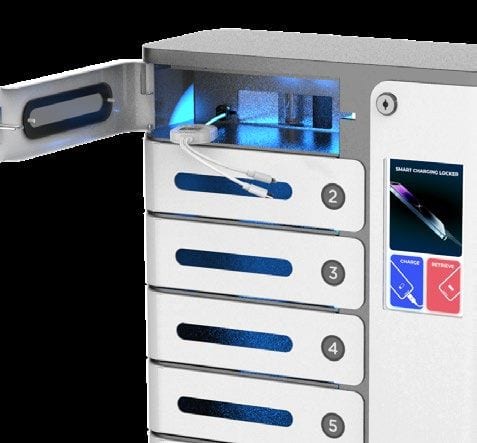
An open charging locker bay with a fixed multi-connector charging cable inside it
The cable is tethered, not loaned A 3-in-1 tail is fixed into the bay and cannot be pulled out. Nothing is handed over a counter, and nothing walks off.
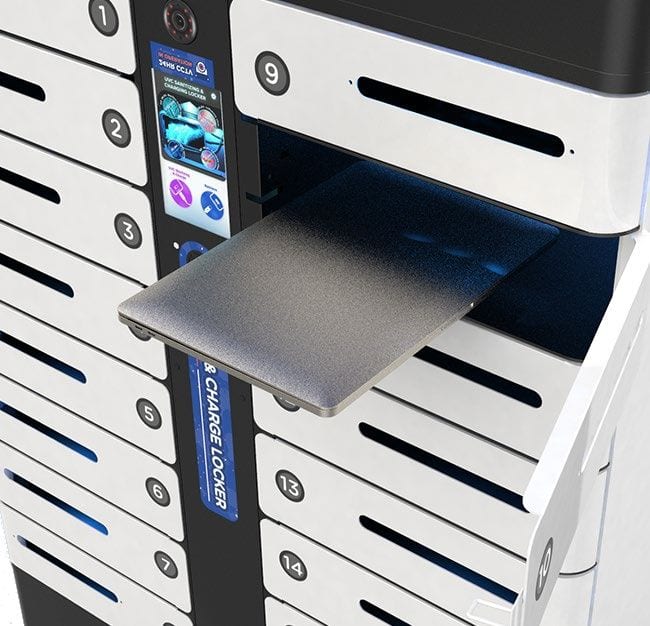
A charging locker bay with its pull-out tray extended
The bay holds the device flat A pull-out tray or a moulded floor so the device sits still with the cable connected, rather than sliding onto its screen.
An open charging locker bay lit by an internal ultraviolet lamp, with a device inside on charge
UV-C runs while the door is shut On units specified with it, a 254 nm lamp lights the closed bay for a short cycle. Interlocked, so it cannot run with the door open.
A hand holding a payment card and a phone at the numbered bays of a charging locker
Payment happens at the bay Where the service is charged for, the user taps a card or scans the QR at the door. No staff involvement and no cash over a counter.
A hand entering a code at the control panel of a wall-mounted charging locker
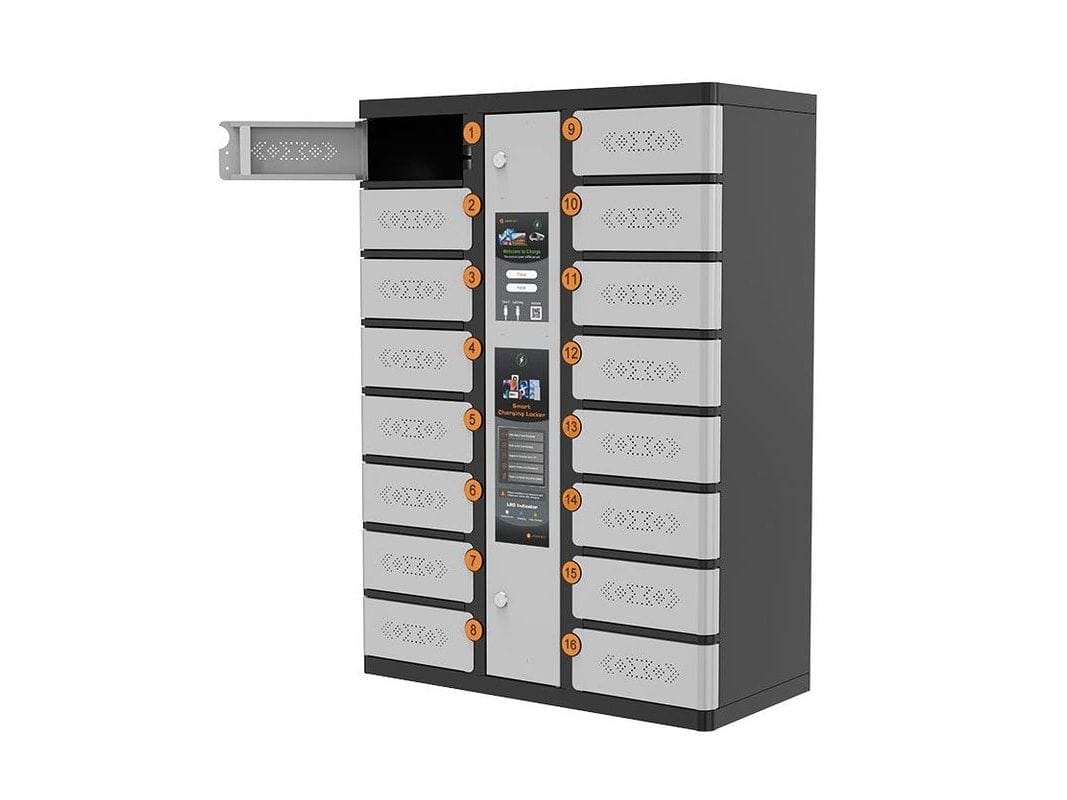
One panel drives every bay Pick a bay, set a code, take it back with the same code — all at one screen or keypad, in whichever language the user chooses.
A device charging locker with one bay door open, showing the drawer inside
Device bays take a real laptop On the device bodies a bay opens on a full-width drawer sized for a 17.3-inch machine, with the charging connector waiting inside.

Back to the catalogue → Charging cabinets made to your opening →

Quick answer: charging locker options

Latchwork charging lockers in Singapore take ten optional features: PD ultrafast charging at 20, 40 or 65 watts, UV-C sanitising lamps in each bay, an advertising display from 14 to 43 inches, coin, card or QR payment, fingerprint unlocking, a floor stand, multi-language voice guidance, and custom branding. Most can be retrofitted after installation. Availability varies by model, and every option below states when to decline it.

Options
Ten
Retrofit
Most, after install
Payment
Coin, card or QR
Fast charge
20, 40 or 65 W PD

Not sure which options are worth it?

Tell us where the unit is going, who uses it and whether anyone pays. We will say which of these to buy and which to leave off.

GX TECH PTE. LTD. (UEN 202503838W) · trading as Latchwork