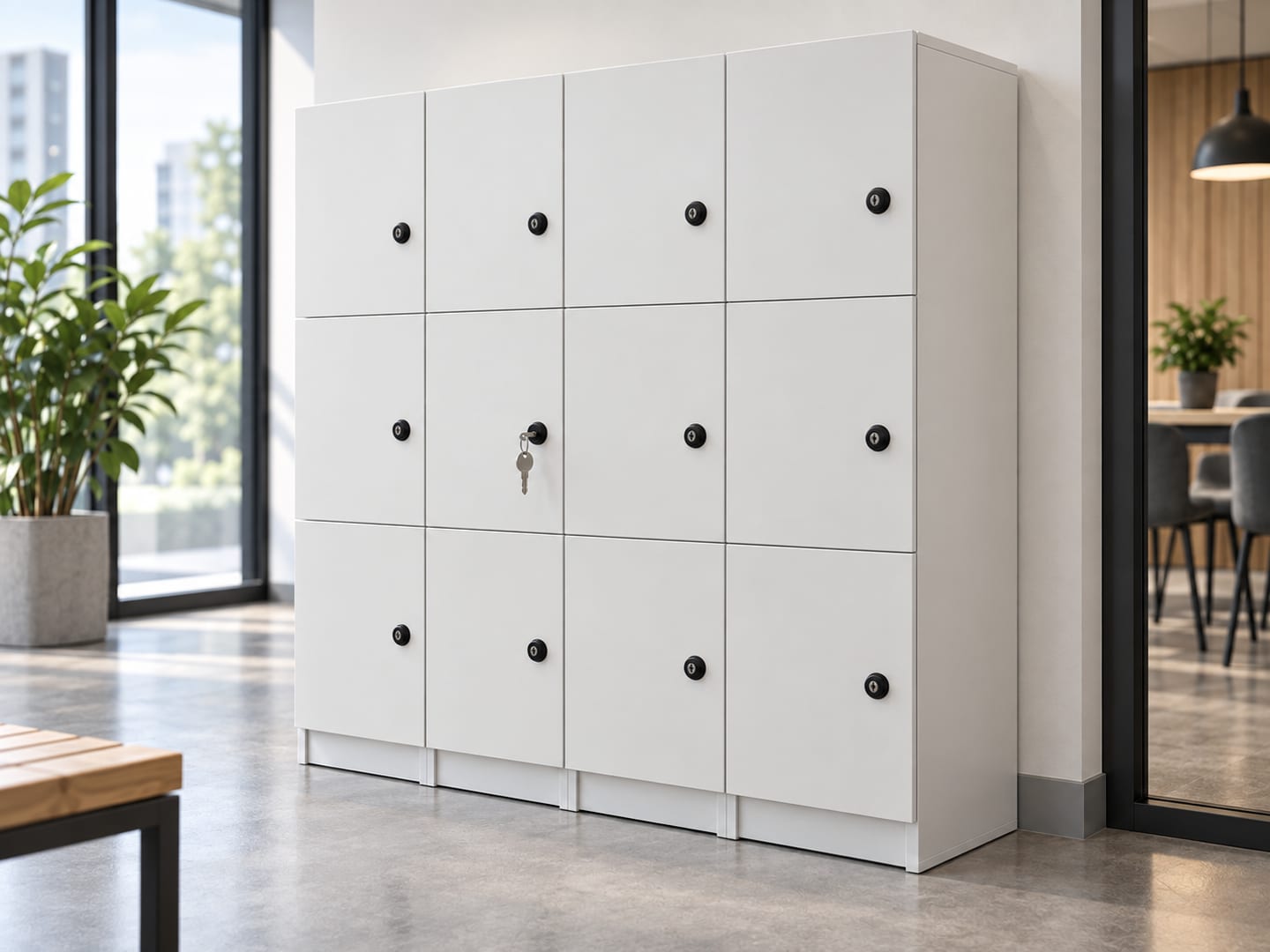
We offer a full range of locking options — from traditional keyed cam locks, combination locks and
padlocks, to digital keypad, RFID/card and connected smart locks.
Choose one system across your site, or mix different lock types to suit different users, security
needs and budgets. For projects that need centralised management, our Latchwork smart access platform
adds remote control, user management and real-time locker administration.
Keyed cam locks, combination locks and padlocks; digital keypad, RFID card and fingerprint locks; and our own connected smart access. We fit all of them, and we will tell you which one your room actually needs — including when that is the cheapest one. What makes us worth calling is the far end of that range: the Latchwork platform is software we built and operate ourselves, already running unattended lockers in a public Singapore venue, and it is the only option here that takes locker administration off someone's desk rather than moving it. Most sites end up mixing lock types in one room, and that is usually the right answer.
Keyed & mechanical locks
Simple, reliable and low maintenance
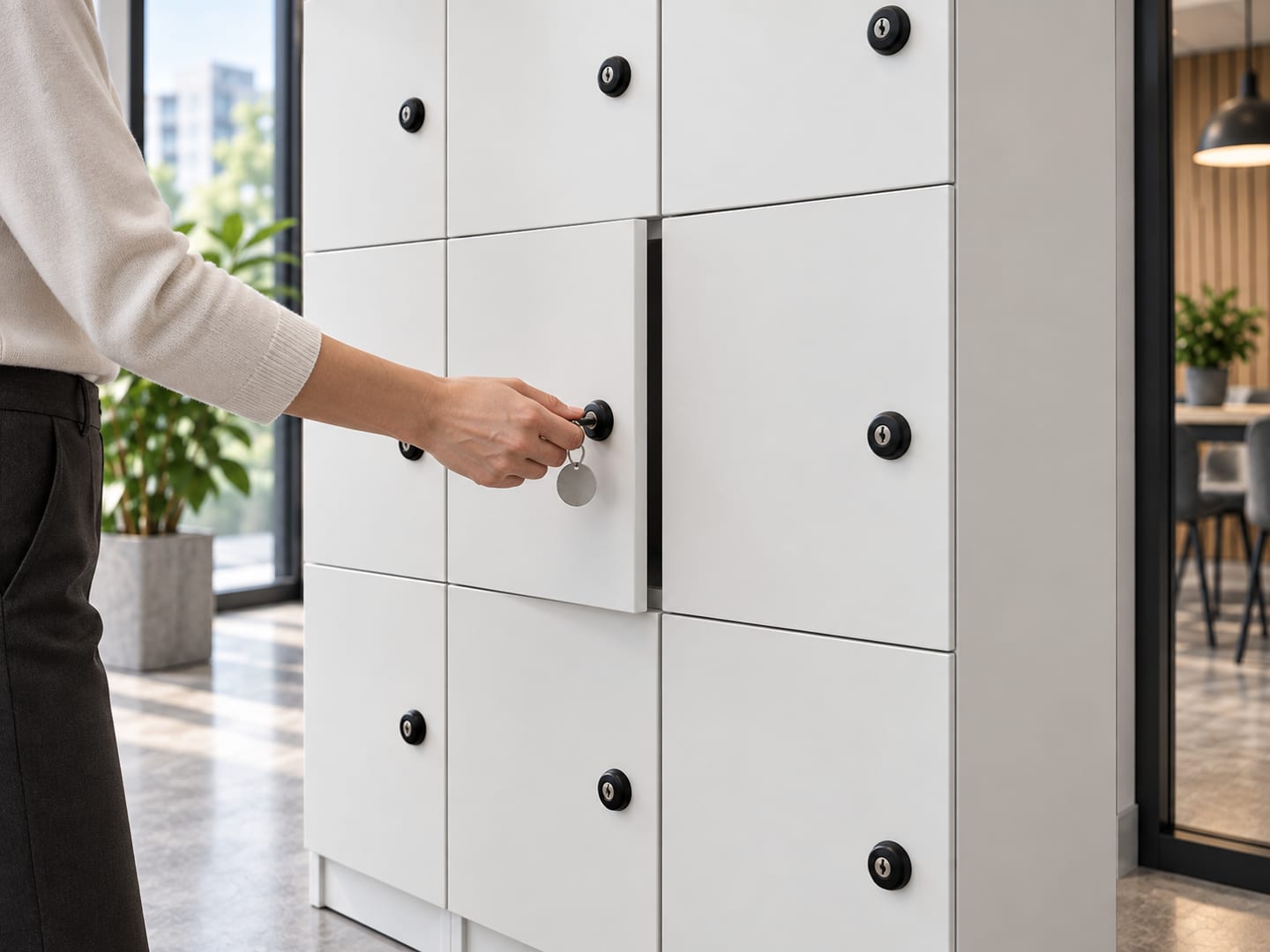
A cam lock with two keys, a padlock hasp, a coin-return lock or a mechanical combination dial. No power, no batteries, no network, no subscription and nothing to go obsolete. For a great many cabinets this is not a compromise — it is the correct specification, and we quote it without trying to talk you upward.
How it opens
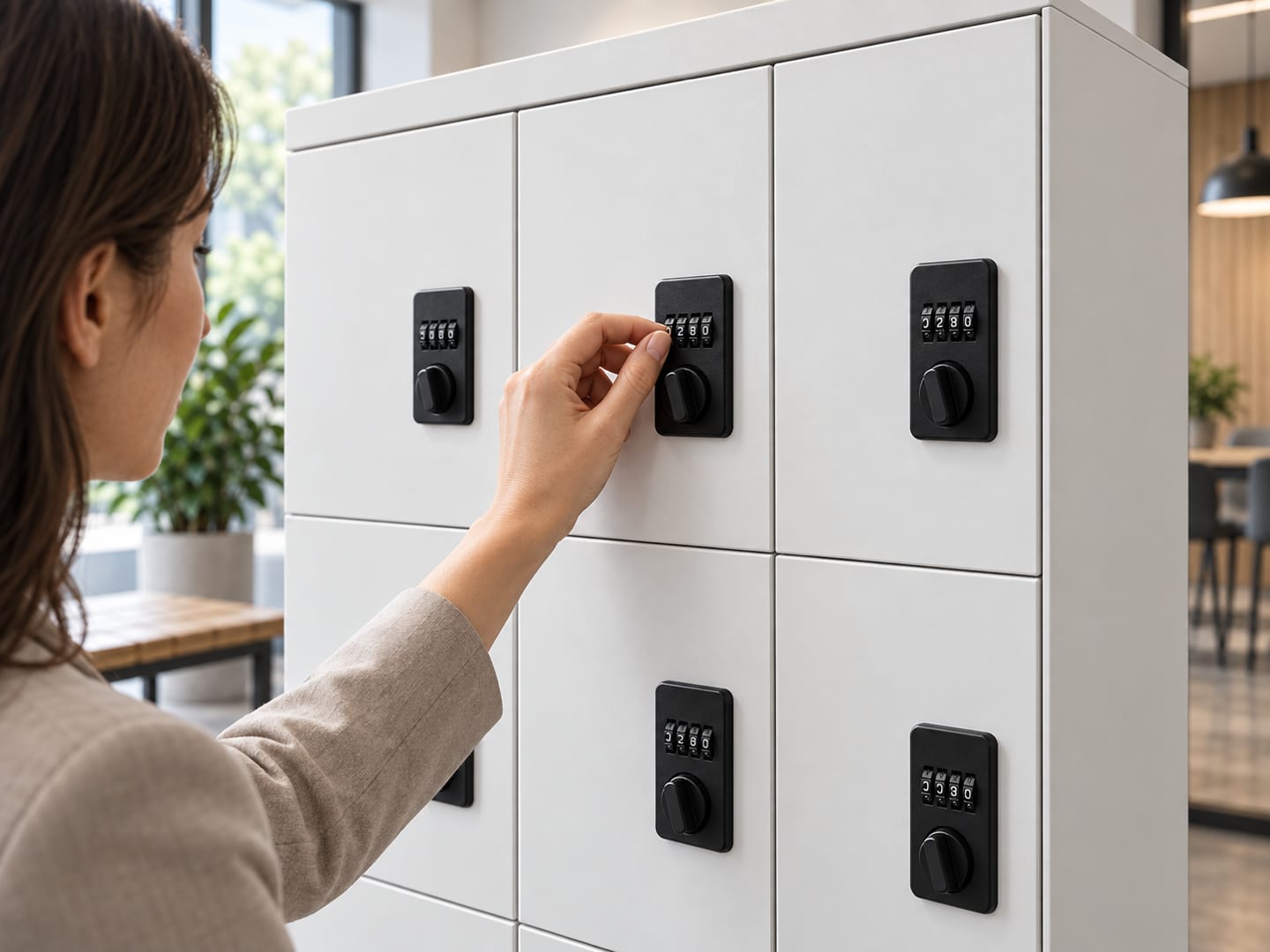
A key in the lock, a padlock the user owns, or a dial turned to a set combination.
What it needs
Nothing. No socket, no battery, no connection.
Who administers it
A key register, kept by hand. Someone holds the master keys and someone cuts replacements. This is fine for tens of compartments and becomes the problem itself at hundreds.
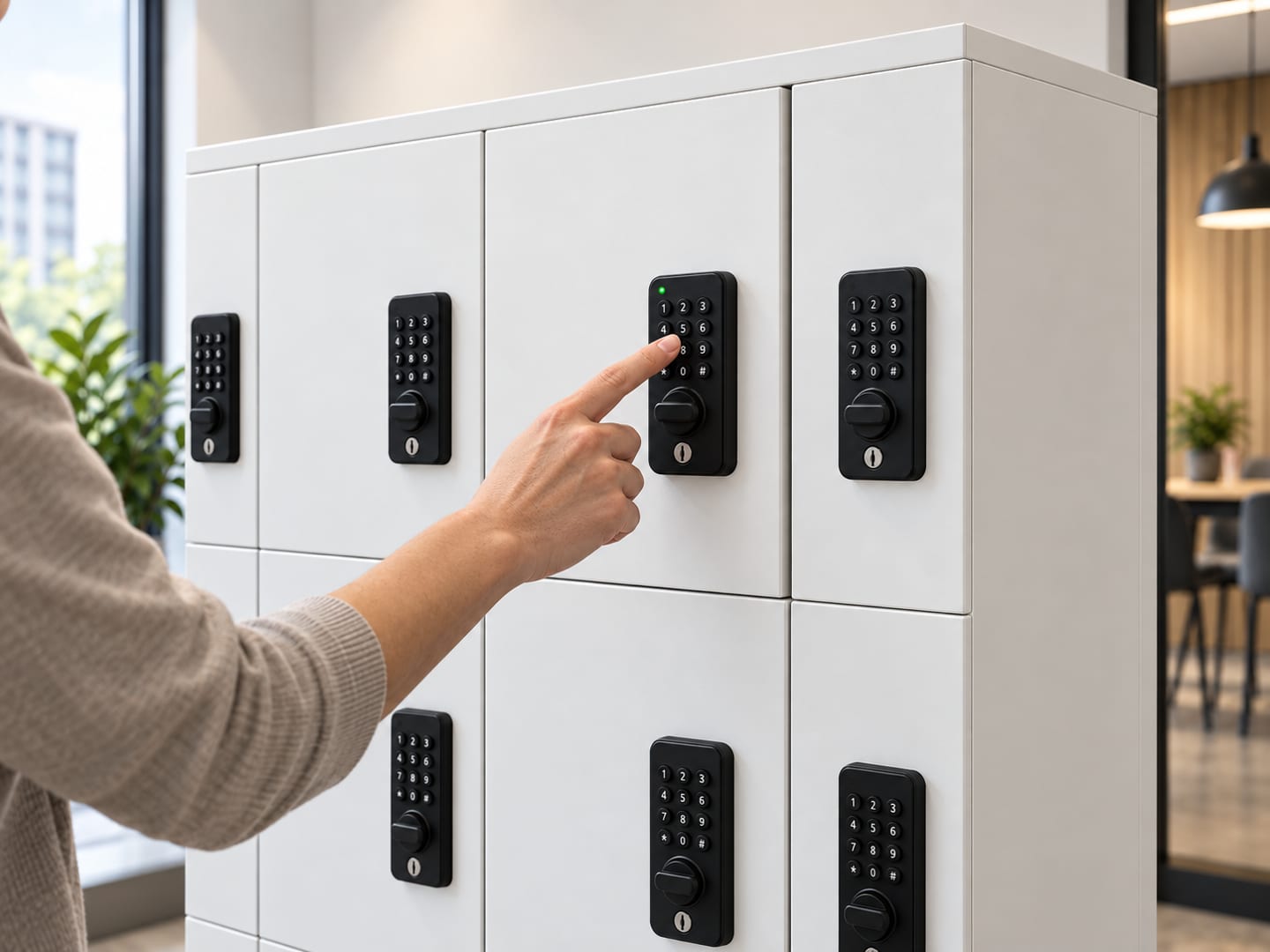
A battery-powered lock fitted to each door with its own keypad, RFID reader or fingerprint sensor. It runs entirely offline: nothing is connected to anything, there is no controller, no socket and no monthly fee. This is the option most sites underestimate, and for day-use rooms and student lockers it is very often the sweet spot.
How it opens
The user sets their own code when they close the door and re-enters it to open — or holds a fixed code, a card or a fingerprint if the compartment is assigned to them.
What it needs
Batteries in each lock, typically replaced yearly. No socket, no cabling, no network, no IT involvement.
Who administers it
Staff hold a programming card and the override key. Codes are reset at the door. There is no dashboard, no list and no report — which is exactly why it is cheap, and exactly what you give up.
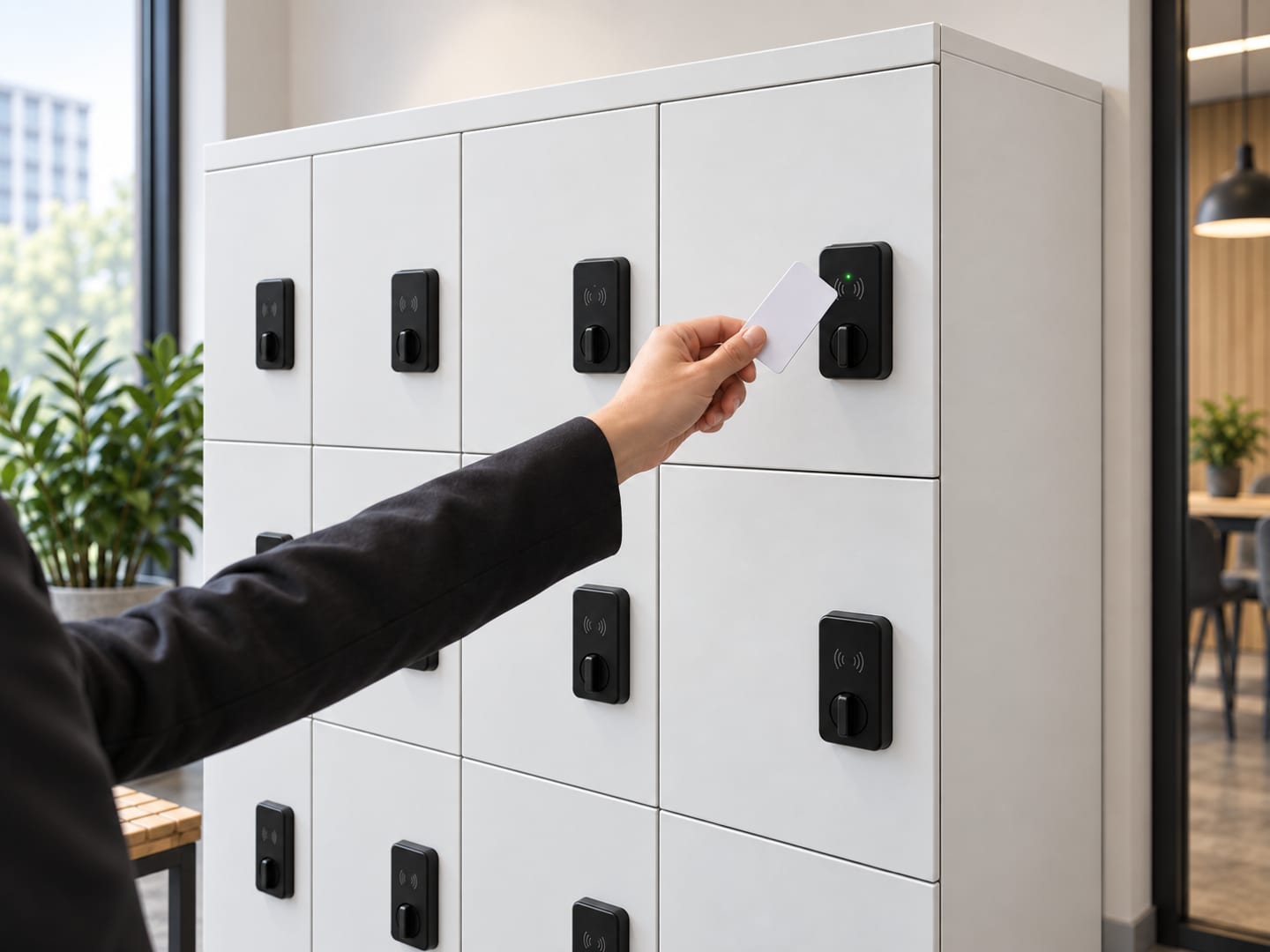
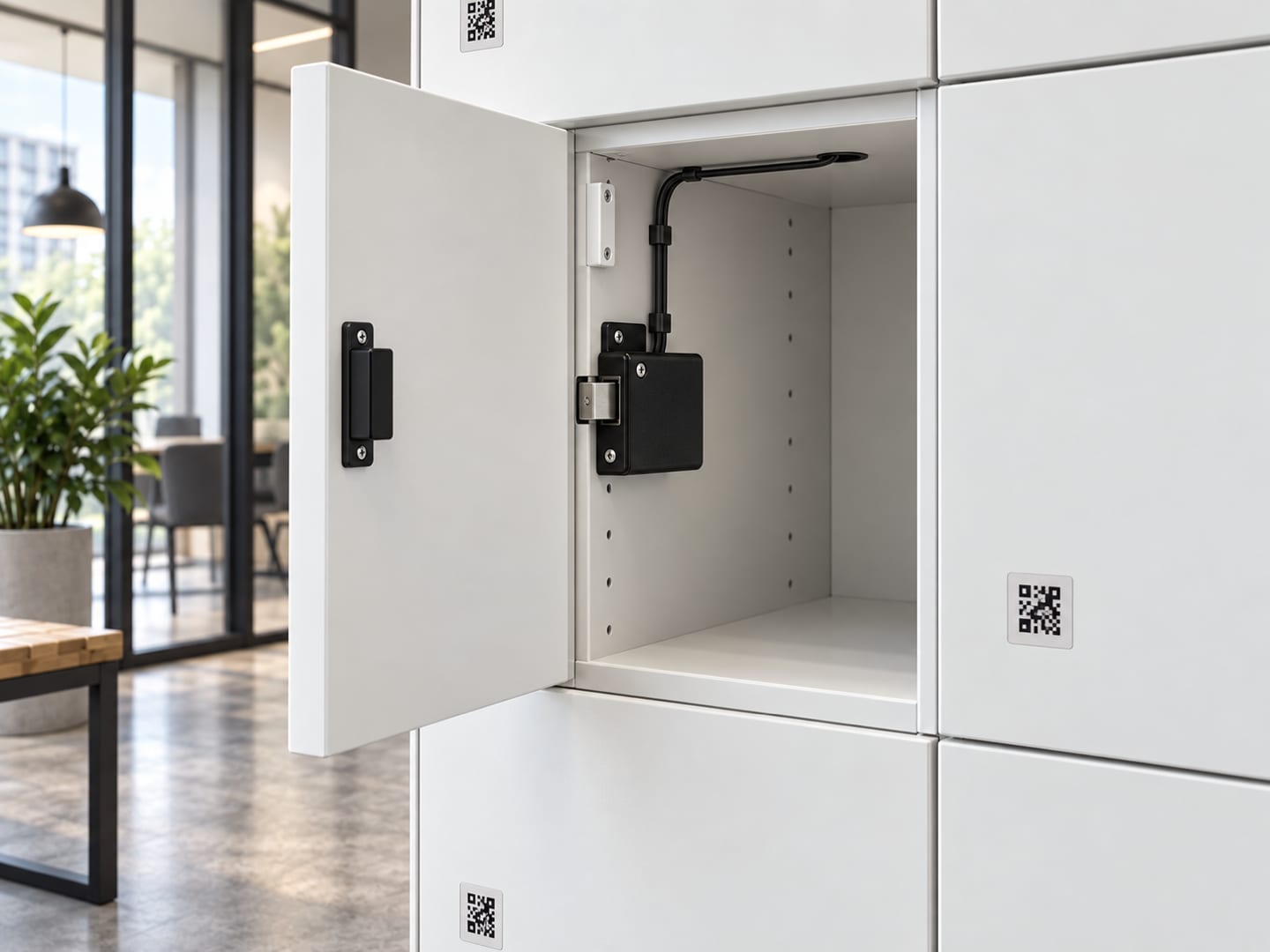
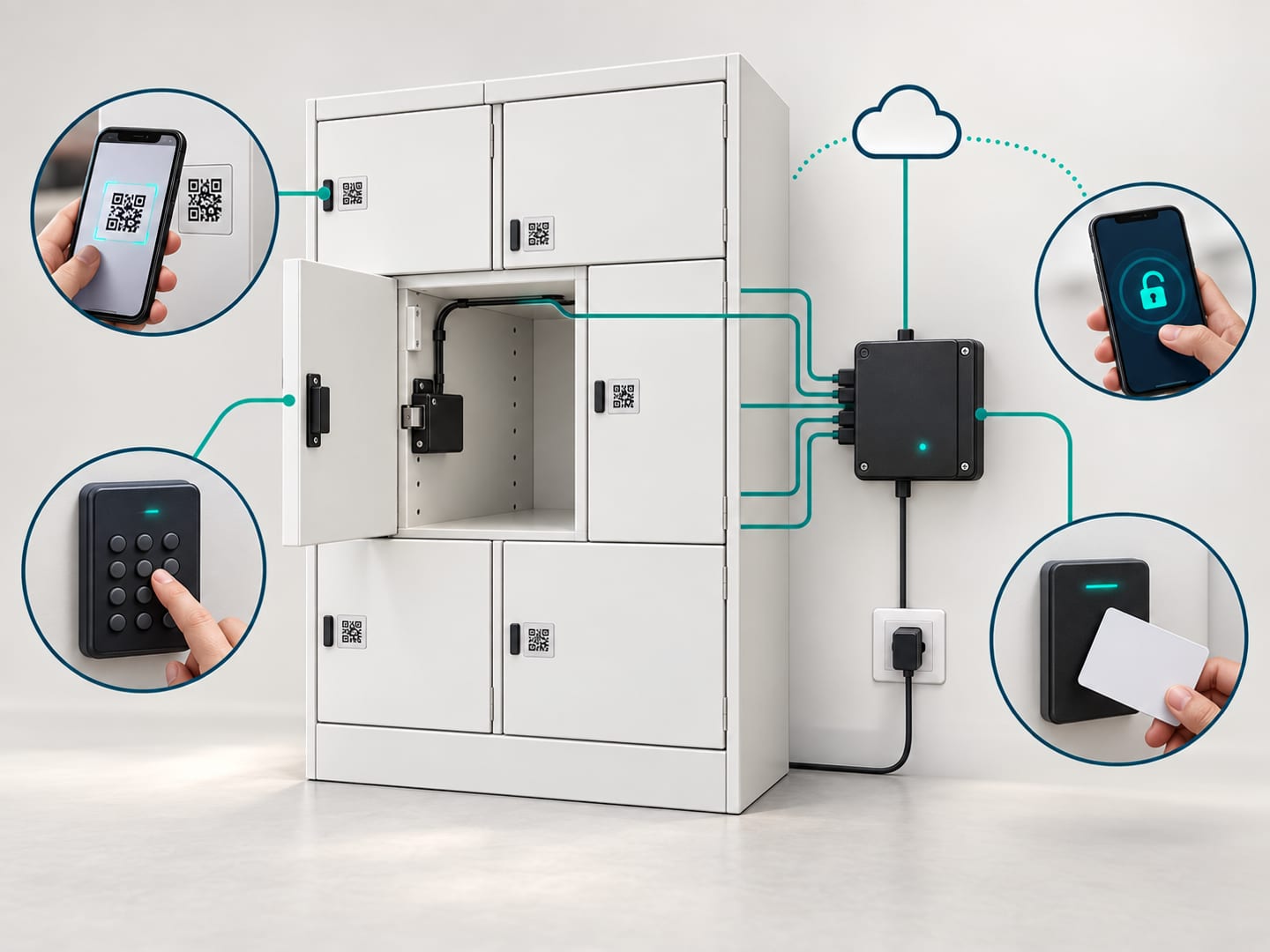
Electronic latches wired to a controller at the end of the bank, running on the Latchwork platform. Users open by QR scan, PIN, existing access card or a staff remote release. What you are buying is not the unlocking — that is the easy part — but assignment management, automatic fee collection, timed release, access rules per bank and a log of every opening.
How it opens
A QR code on the door scanned with the phone camera, a PIN on the bank keypad, a tap of an existing member or staff card, or a duty manager releasing the door from their own phone.
What it needs
One standard 3-pin 230 V socket per bank. The controller reaches us over 4G, so there is no connection to the site's LAN — no structured cabling, no switch ports and no firewall rules. Wi-Fi is supported where preferred.
Who administers it
A dashboard. Assign, revoke, bill, set rules, read the log and pull utilisation figures — from anywhere, including for several sites at once. This is the option that removes work rather than relocating it.
Cost
Highest — hardware per compartment plus an annual subscription per bank
The cabinet can stay the same while the lock changes. Compare what the user does at the door,
what the site has to provide and what the lock cannot do before paying for more technology.
Installed on the lockerHow the user opens it
Keyed & mechanical locks
Keyed cam lock
Simple, reliable access at the lowest hardware cost
How it opens
A user or member of staff turns the issued key in the door.
What it needs
No power, battery, network or subscription. Master-keyed suites are available.
Best for
Assigned staff storage, cupboards and low-turnover rooms where keys are already managed.
What it does not do
Lost, copied or unreturned keys become an administrative cost as the user group grows.
This is the one we built, and the only reason to choose us over a steel supplier with a catalogue. Keyed and digital locks we source and fit well — any competent supplier can. Connected access is our own platform, already running unattended in a public Singapore venue, and it is the only option here that removes administrative work rather than moving it somewhere else.
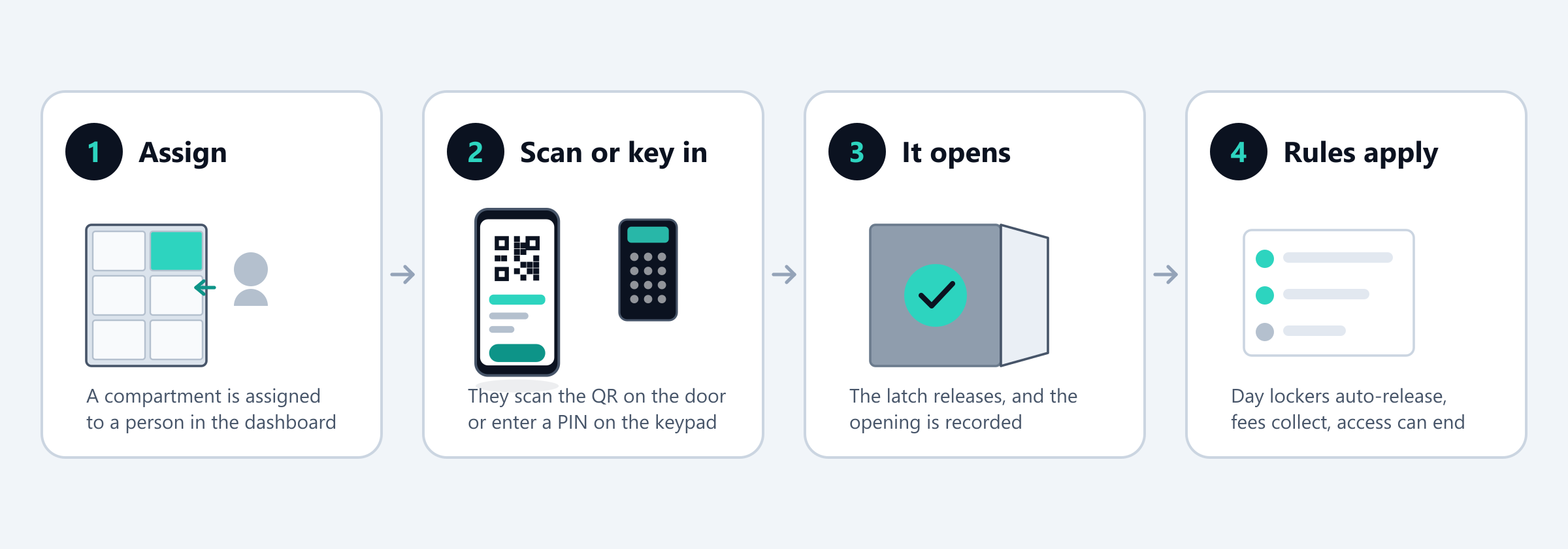
Step four is the one no offline lock can do, and the reason most locker schemes degrade after six months.
Four ways in, all live on the same bank
Scan the QR code on the door
The phone camera opens a page that already knows which compartment it is. If the person holds the assignment, the latch releases. No app to install, no account to create in an app store, no Bluetooth to pair.
Enter a PIN on the bank keypad
A numeric code on the keypad at the end of the bank, for anyone who would rather not use a phone — and as the fallback that keeps working during a network outage, because credentials are cached on the controller.
Tap an existing member or staff card
Where a site already issues access cards, the same card can open a locker. Nothing new goes in anyone's wallet, which removes the most common objection to a new locker scheme.
Remote release by staff
A duty manager opens any compartment from their own phone. A lockout is resolved in seconds without a master key, and a locker that must be cleared is opened with the action recorded against the person who did it.
What the platform handles for you
Each of these replaces something currently being done by hand, or not being done at all. This list is
the whole difference between connected access and a very good keypad lock.
Assignment and waiting lists
Assign a compartment to a person, for a period or open-ended. Waiting lists, renewals and transfers are handled in the dashboard, so the locker room stops being administered from a spreadsheet that only one person understands.
Recurring fees collected automatically
Locker fees charged to a card on a monthly or annual cycle through Stripe, with access ending when payment lapses. Nobody has to chase a member for a locker fee, and revenue stops leaking through lockers nobody is billed for.
Time rules and automatic release
Day-use compartments release at closing or after a set number of hours, with a notification to the user first. This single rule is what stops a day-use room silently turning into permanent storage.
Access rules per bank
Open to all verified users, restricted to a member category or department, reserved for staff, or unlisted. Different banks in the same room can carry different rules, and a rule change takes effect immediately.
A log of every opening
Who opened which compartment, when, and by which method. This is what settles disputes about missing belongings, and what makes a cabinet holding personal records defensible rather than merely locked.
Occupancy and utilisation reporting
How many compartments are in use, which have been held longest, and how demand moves through the week. It tells you whether to add a bank or whether you already have too many — a question most sites answer by guessing.
Reminders and overdue handling
Automatic reminders on a schedule you set, a report of the longest-held compartments, and a defined process for release and removal. Without this, a parcel or day-use bank fills up over a few months and quietly stops working.
Charge and condition monitoring
For powered equipment, the platform reports charge state alongside occupancy and can hold a unit back until it is genuinely usable. This is the difference between an unattended equipment scheme that works and one that generates complaints.
Where this has already been proven
The Latchwork access platform is not a prototype. It is the same platform that has been running unmanned professional tennis ball machine cabinets at ActiveSG Sport Village @ Jurong Town since day one, under our Tennis Machine SG brand — users book, pay and unlock entirely from their phone, at any hour, with nobody on duty. Applying it to member and staff storage is new, and we would rather say so than imply an installed base we do not yet have.
Both columns are filled in on each of them, including ours. A supplier who cannot tell you where their
flagship is the wrong purchase has not thought about your room.
Keyed & mechanical locks
Lowest per compartment
Right when
A store cupboard, filing cabinet or shelving run used by a handful of staff
Low turnover — the same few people, year after year
Sites with no socket at the bank and no appetite for one
Budget-led fit-outs where compartment count matters more than features
A user group that brings its own padlocks and is happy doing so
Wrong when
Keys are already being lost, copied or not returned
Assignments change often — a new intake, a high-churn membership
You need to know who opened a cabinet, and when
Day-use lockers get squatted and only a bolt cutter resolves it
Deposits and replacement cylinders cost more per year than better locks would
Hardware we fit for this
Cam lock, two keys per compartment, master-keyed suite optional
Padlock hasp — the user brings their own padlock
Coin-return lock for public day-use rooms
Mechanical combination dial, no battery
Three-point locking on full-height cabinet doors
Digital keypad & card locks
Mid — hardware only, no recurring fee
Right when
Day-use rooms where the user should set and forget their own code
School and gym lockers where losing keys is the entire problem
Wet areas and pool decks where a phone should not come out of a bag
Sites that will not accept a subscription, or a connected device on premises
A budget that will not stretch to connected access but has outgrown keys
Wrong when
You need a record of who opened which compartment
Locker fees have to be collected, or access ended when payment lapses
Day lockers must release automatically at closing — a standalone lock cannot
Hundreds of assignments change at once and each must be reprogrammed by hand
Someone is locked out at 11pm and there is no staff member on site with the override
Hardware we fit for this
Battery keypad lock, user-set code for day use or fixed code when assigned
RFID lock reading a card, fob or wristband the site already issues
Fingerprint lock where nothing is to be carried at all
Standalone electronic combination lock for secure and document cabinets
Master override key and a programming card held by staff on every unit
Connected smart access
Highest — hardware per compartment plus an annual subscription per bank
Right when
Many people share the same compartments, or assignments change constantly
Locker fees are charged and are currently under-collected
Day-use rooms need to clear themselves at closing without staff
You need an audit trail — personal data, controlled stock, shared valuables
Equipment is issued unattended and its charge state has to be known
Several sites should be visible in one place
Wrong when
A store cupboard used by three people — the subscription buys you nothing
Shelving and filing, where nobody is assigned anything
A site that will not have a connected device or a recurring cost, on policy
Fewer than roughly twenty compartments in total, where per-bank costs dominate
Hardware we fit for this
Electronic latch per compartment, with individual door-status monitoring
Bank controller with keypad and, on parcel banks, a display
QR label per door, tied to that compartment in the platform
Card reader where the site already issues access cards
Mechanical master override on every compartment, as on every other lock we fit
Five questions that decide it
The questions we ask at a survey, in this order. A yes to any one pushes the answer further up the
range.
01 How many different people touch the same compartment?
If yes, at least: Digital keypad & card locks
A cupboard used by three staff needs a key. A day locker used by forty people a week needs a code that changes with every user. This one question separates a keyed lock from everything above it more reliably than budget does.
02 Are keys already going missing?
If yes, at least: Digital keypad & card locks
If replacement cylinders, cut keys, deposits and bolt cutters are an annual line item, a mechanical lock has already stopped being the cheap option — it is just paying in staff time instead of capital.
03 Do you need to know who opened it?
If yes, at least: Connected smart access
Personal data under the PDPA, cash, controlled stock, master keys, shared valuables. A standalone lock cannot tell you anything after the fact. If a dispute or an audit would need an answer, only connected access gives you one.
04 Must compartments clear themselves?
If yes, at least: Connected smart access
A day-use room that does not auto-release at closing becomes permanent storage within a few months, whatever the signage says. No offline lock can do this — it has no idea what time it is or whose code is inside it.
05 Is money changing hands?
If yes, at least: Connected smart access
Locker fees, deposits, paid equipment hire. Billing by hand gets chased inconsistently and quietly written off. Automatic collection with access ending on a lapsed payment needs connected access, and it is the usual reason a club upgrades.
Five noes means keyed locks, and we will quote them and move on. Most sites answer yes to one or two, which
is why most rooms end up mixing lock types.
What we specify, family by family
Our default recommendation for each part of the range, before you tell us anything about your site.
Two of the nine families default to a key.
A default is not a limit. Every family except parcel lockers can be ordered with more than one kind of lock — the
badges on each product page show which.
Buying the steel does not commit you to a lock
The cabinet is the expensive, long-lived half; the lock is the cheap, replaceable half. Sites that
understand this stop treating the decision as irreversible and start with the lock their problem
actually justifies today.
1
Buy the steel once
Cabinet, compartment layout, ventilation and finish are chosen for the room and the contents. None of that changes when the lock does, so this is the decision worth taking time over.
2
Start with the lock the problem justifies today
For most sites that is keyed or digital. Starting connected on a room that does not need it is the most common way a locker budget gets spent on the wrong half of the problem.
3
Change locks, not cabinets, when the problem changes
A cam lock cut-out takes a digital lock. A digital lock cut-out takes a connected latch with a controller at the end of the bank. Each step is a fraction of replacement, and it can be done one bank at a time.
4
Mix lock types in the same room
Assigned member banks on the platform, day-use banks on keypad locks, staff cupboards on cam locks. There is no requirement to run one kind of lock throughout, and most rooms should not.
You may not need new lockers at all
If your locker room was refitted in the last few years, replacing the steel is usually waste. A retrofit
swaps the cam lock in each door for a battery keypad lock, or for a connected latch with a controller at
the end of the bank — you keep the expensive part and change only the mechanism, to whichever lock
solves the problem.
Retrofit usually works when
The doors are steel, in sound condition, and reasonably rigid
The existing lock is a standard cam lock in a standard cut-out
There is a socket within reach of the end of each bank — connected access only
The bank layout still suits how the room is actually used
We will tell you to replace when
The doors are thin-gauge and flex — a latch will not hold alignment
Corrosion at the base has reached the door frames
The lockers are timber, or carry a non-standard proprietary lock
The compartment sizes are wrong for the room's real use
We survey a sample door before quoting either kind of retrofit. Selling a lock kit that fails in a
year costs us the reference, so it is not a corner we cut.
True of every lock we fit
These four apply whether you buy a cam lock or the whole platform.
A mechanical override on every unit
Whatever the lock, every compartment can be opened with a master key held under your control. Belongings must never be trapped by a flat battery, a dead latch or a forgotten code. Any supplier who does not lead with this has not run lockers in the real world.
The same steel behind every lock
Lock choice and cabinet choice are separate decisions. A bank ordered with cam locks today takes digital locks or connected latches later without replacing a single shell — so an upgrade is a lock change, not a fit-out.
We service what we sell, whichever lock it carries
Spare cylinders and keys, replacement batteries, latch and controller support, and parts held for the life of the units. A cheap lock we cannot get parts for in three years is not a cheap lock.
We quote the lock that fits, not the one we prefer
Connected access is the largest order for us and the one we would rather sell. We still specify keyed locks on store cupboards and digital locks on school corridors, because a scheme oversold at the survey is a reference we do not get.
A dotted badge marks the lock we would specify by default on that family.
Quick answer: the lock options
Latchwork fits every kind of locker lock in Singapore. Keyed locks — cam locks, combination locks and padlock hasps — need no power and no network. Digital locks are battery keypad, card or fingerprint units on each door, running offline with no wiring and no subscription. Connected smart access puts electronic latches on a bank controller, opening by QR scan or PIN, and adds assignment management, automatic fee collection, timed release and a log of every opening. Every compartment has a mechanical master override, whichever lock is fitted.
Options
Keyed, digital, connected
Keyed
No power, no network
Digital
Offline, no wiring
Connected
4G, one 13 A socket
Locks and access — questions we get asked
Do we have to go smart? Can you just supply keyed lockers?
Yes, and we quote them without a sales conversation attached. Keyed cam locks, padlock hasps, coin-return locks and mechanical combination dials are all standard across the range, and on store cupboards, filing cabinets and shelving they are what we specify by default. The connected platform is our own product and the reason most people call us, but recommending it for a cupboard used by three staff would cost us more credibility than the order is worth.
What is the difference between a digital keypad lock and connected smart access?
A digital lock is a self-contained battery unit on one door. It knows one code and nothing else — no clock, no network, no memory of who opened it. Connected access puts the latch on a controller that talks to our platform, which is what makes assignments, automatic billing, timed release, per-bank access rules and an opening log possible. The practical test is whether you need something to happen that the lock itself cannot know about: a fee lapsing, closing time arriving, an audit question being asked six months later.
Which lock is cheapest over five years, not just at purchase?
It depends entirely on churn and on whether you charge for lockers. Keyed locks are cheapest to buy and stay cheapest where the same few people hold the same compartments for years. Where keys turn over, the replacement cylinders, cut keys, deposits, staff time and periodic bolt-cutting add up faster than most sites have ever measured, and digital locks overtake keys quickly. Connected access costs the most in hardware and carries an annual subscription per bank, and it pays for itself where locker fees are being under-collected — which, in every club we have surveyed, they were.
Do users have to install an app for connected access?
No. The whole flow runs in the phone's browser. A user points their camera at the QR code on the compartment door, the browser opens a page that already identifies that compartment, and if they hold the assignment the latch releases. Requiring an app install is where locker schemes lose their least technical users — and those are precisely the people who then complain to the committee or the front desk.
What happens if the internet goes down?
PIN access keeps working. Credentials are cached on the bank controller, so a user who knows their code gets into their locker whether or not the site has connectivity. What pauses is the online side — new assignments, remote release and reporting — and that resumes automatically when the connection returns. Keyed and digital locks are unaffected by definition, since neither is connected to anything.
What if the electronics fail and someone's belongings are inside?
You open it with the master key. Every unit we supply ships with a mechanical override, whichever lock is on it, and it should be held under controlled custody — ideally in a key cabinet, not in a desk drawer. Any locker supplier who does not lead with this has not run lockers in the real world: electronics eventually fail, batteries eventually flatten, and a system that can trap someone's wallet and passport with no way in is not fit for service.
Digital lockers, electronic lockers, RFID lockers, keyless lockers — are these different things?
Mostly they are the same two kinds of lock described by different vendors in different words, which is why comparing quotations is harder than it should be. "Keyless locker" is the umbrella term and covers both of the keyless options here. "Digital locker" and "electronic locker" almost always mean a battery lock fitted to each door with a keypad on it — our standalone digital lock. "RFID locker" and "card locker" mean the same thing reading a card instead of a code, and "fingerprint locker" or "biometric locker" the same thing again reading a fingerprint; on our range those are variations of that one lock, not separate products. "Smart locker" is the term that genuinely varies: some suppliers use it for any battery keypad lock, others reserve it for a connected system with a dashboard behind it. When you are comparing quotations, ignore the label and ask three questions — does it need a socket, does it produce a log of who opened what, and is there an annual fee? Those three answers place any product on this page exactly.
Can we mix lock types in the same room?
Yes, and most rooms should. A typical club locker room ends up with assigned member banks on the platform, day-use banks on keypad locks, and staff cupboards on cam locks — because those three groups have genuinely different problems. Banks are specified individually, so mixing costs nothing extra beyond the hardware difference itself.
Can we start with keyed or keypad locks and upgrade later?
That is how we would advise most sites to approach it. The cabinet is the expensive, long-lived part and the lock is the cheap, replaceable one — a standard cam lock cut-out takes a battery keypad lock, and that in turn takes a connected latch with a controller at the end of the bank. Each step is a fraction of replacing the steel and can be done one bank at a time. Tell us at the survey that you may want to upgrade and we will make sure the cut-outs and the socket positions do not become the obstacle.
What network and cabling does connected access need?
One standard 3-pin 230 V socket per bank, and nothing else. The controller connects to us over 4G, so there is no connection to the site's LAN — no structured cabling to pull, no switch ports to allocate and no firewall rules to request. Wi-Fi is supported where a site would rather keep the traffic on its own network.
Who can see the access log, and what does it record?
Administrators you nominate, and only where connected access is fitted. Each entry records the compartment, the person holding the assignment, the time, and the method used — QR, PIN, card or staff remote release. That record is what settles disputes about missing belongings, and what makes a cabinet holding personal records defensible rather than merely locked. We can restrict which administrators see which banks. Keyed and digital locks produce no record of any kind, and no supplier should tell you otherwise.
Can the platform run on lockers we already own?
In most cases yes — a retrofit electronic latch replaces the existing cam lock and a controller mounts at the end of the bank. The same is true one step down: a battery keypad lock drops into the same cut-out for considerably less. We survey a sample door first because door thickness and latch geometry decide whether either kit fits reliably. Retrofit either way is substantially cheaper than replacement and typically takes about a day per room.
Not sure which lock you need?
Tell us how many people share the compartments, whether keys are already going missing, and whether you charge for lockers. Those three answers usually settle it in one reply. If you have existing lockers, send a photo of a door and the bank and we will tell you what can be retrofitted, and to which lock.