Phone vs Laptop Charging Lockers: What Should a Singapore Site Buy?
Choose phone or laptop charging lockers by the devices, bay dimensions, power, users and room supply—not by the number of doors on a brochure.
By Latchwork Published 6 min read
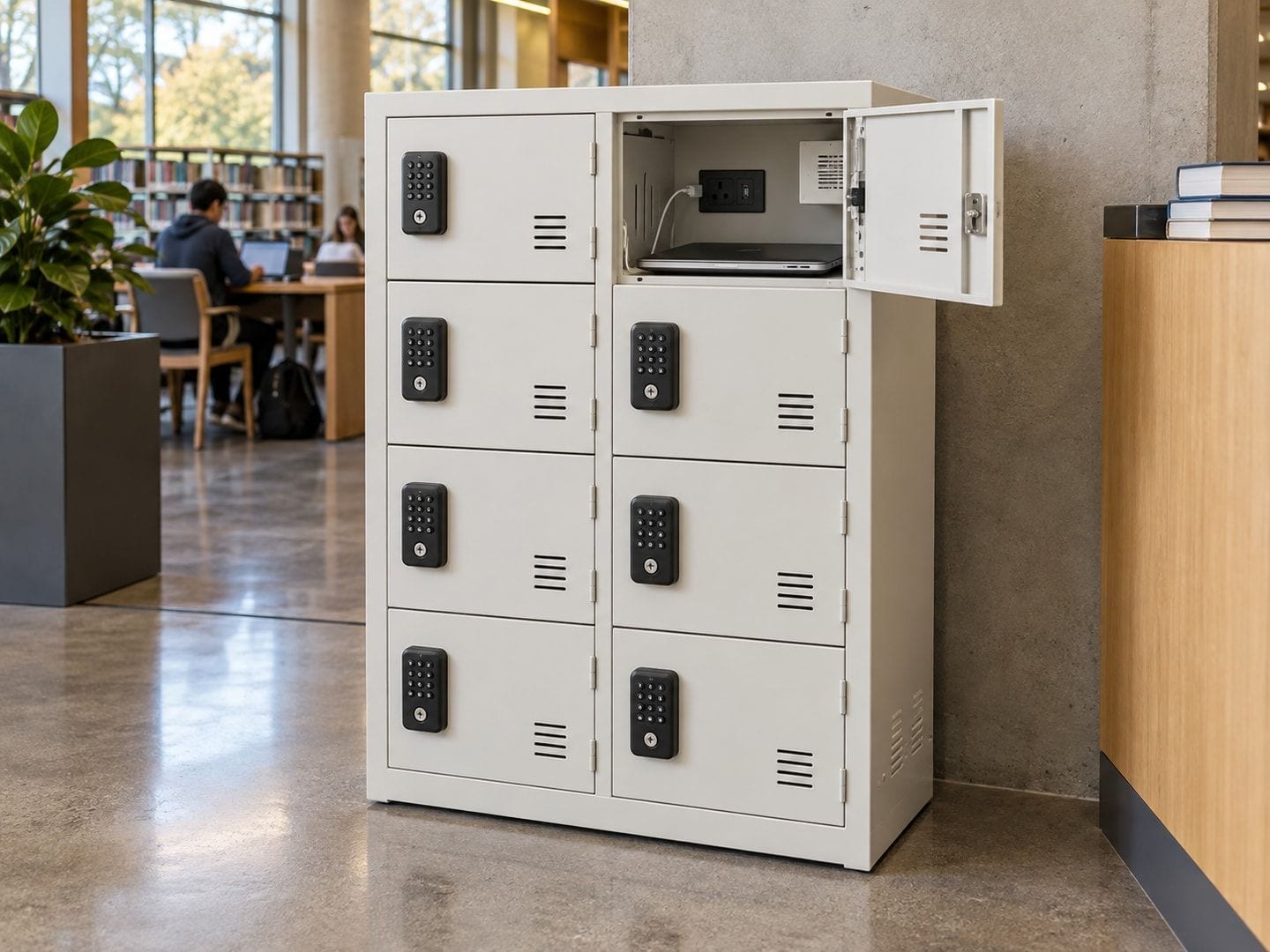
Choose the charging locker around the largest device and the person who will collect it. A phone bay cannot become a laptop bay by adding a stronger charger; a large laptop bay is wasted space if the only task is holding staff phones through a shift. For a Singapore school or office, the useful first question is not “How many doors?” but “What must be ready to use when the door opens?”
This guide compares phone-sized self-service lockers with larger cabinets for shared laptops and tablets. It also separates secure storage from charging: a device that arrives charged and is taken home that afternoon may need a lock but no socket.
Start with the device, case and charging brick
Clear internal dimensions decide whether the project works. Measure the widest and thickest real device, including its protective case, handle or attached accessories. If the user must leave the manufacturer’s power brick inside, allow space for the brick and cable bend as well. An outside cabinet dimension says little about usable room behind each door.
Latchwork’s CL-16 phone model has a clear bay of 156 × 224 × 75 mm, intended for a cased phone lying on its side with a cable attached. The DL-8U is a different format: its bay takes a device up to 356 × 248 mm, and the model is described for laptops up to about 14 inches or full-size tablets. The keyed DL-7 and DL-11 have 448 × 328 × 120 mm bays for larger notebooks, while the denser DL-16 has 300 × 328 × 100 mm bays intended for tablets, Chromebooks and compact notebooks. These are model specifications, not a promise that every device marketed at a given screen size will fit; test the actual equipment before sign-off.
| Buyer situation | Better starting point | Check before ordering |
|---|---|---|
| Visitors or staff deposit their own phones | Phone-sized self-service bays, such as CL-16 | Case size, cable connector and how a forgotten code is resolved |
| A teacher or technician holds a small shared laptop pool | Wide keyed device bays, such as DL-7 or DL-11 | Largest laptop and case, key custody and USB-C charging requirement |
| A class set is mostly tablets or compact Chromebooks | Denser device bays, such as DL-16 | Whether the 100 mm-high bay and 30 W output suit every model |
| The device mix changes or some laptops need their own bricks | Larger mixed-power bays, such as DL-8U | Physical fit, 65 W USB-C suitability and AC-brick space |
Match the charging output to the fleet, not the label
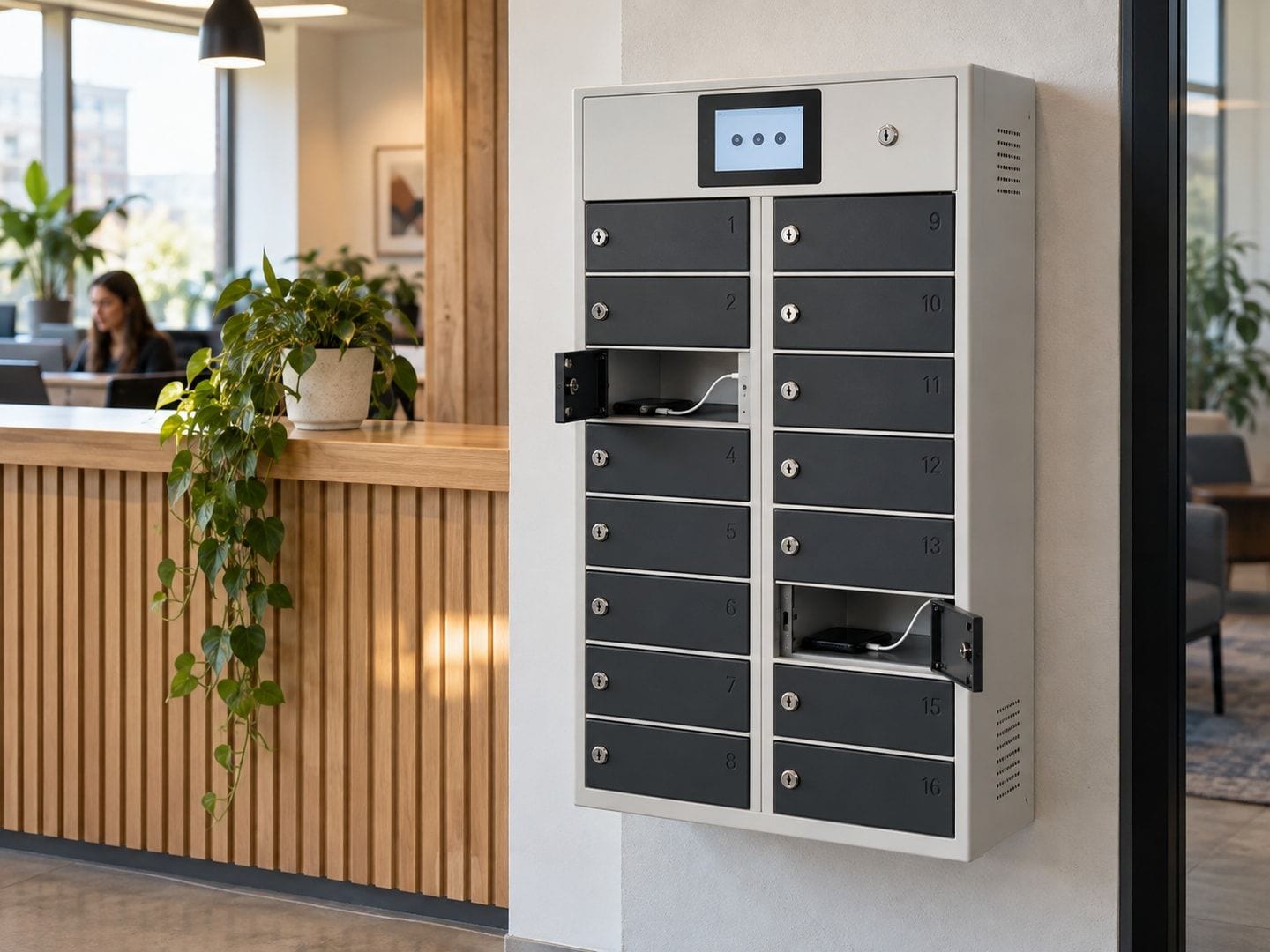
“USB-C charging” is not one universal specification. In Latchwork’s listed range, the DL-16 provides 30 W per bay; the DL-7 and DL-11 provide 45–65 W per bay; and the DL-8U provides a 65 W USB-C cable plus an AC outlet in each bay. The CL-16 phone model supplies 5 V / 2.4 A per bay as standard, with higher-output Power Delivery options. Those numbers belong to the named models and configurations, not to every locker we sell.
Ask the IT or device owner for a list of model numbers and their approved charging methods. A device with an unsuitable connector, a higher charging requirement or a proprietary adapter may need its own brick in an AC-equipped bay. Conversely, a pool left on charge between shifts may not gain much from paying for the highest-output option. Confirm the device and charger combination in a sample bay rather than assuming the plug shape proves compatibility.
The DL-8U laptop and tablet locker is worth comparing where one compartment may need to serve a laptop today and a tablet next term. The CL-16 phone locker is a more compact starting point where individual users deposit only phones. Neither choice is automatically better because it has more electronics.
Decide who controls each door
The right lock follows the handover. For a classroom set kept in one staff room, keyed DL-7, DL-11 or DL-16 bays can be straightforward: a responsible adult issues devices and holds the key ring. There is no reason to make every pupil operate a touchscreen if staff already control the pool.
An office reception or gym where each visitor deposits and collects their own phone has the opposite workflow. A self-service screen or keypad lets each person choose a free bay and retrieve the phone with a code, without staff taking custody. For an office pool of scanners or radios, ask a further question: must management know which person took which device? A standalone keyed or local-control charging model does not create the same central accountability as a separately specified connected access system. Do not treat a touchscreen as proof that it is connected to Latchwork’s management platform.
School phone storage is a separate decision from device charging. If phones are merely held during lessons or examinations, plain locked cells may be enough. Latchwork’s made-to-order phone cell cabinets can be specified with power in every cell, selected rows or none. The existing school phone-storage guide covers that policy use case; this article is about returning a device charged and ready to work.
Survey the power point and the room together
Power is a site question as well as a product question. The CL-16 and several keyed device models list one standard 13 A socket per unit, but the number of cabinets, their total stated load, the location of existing outlets and how cables will be routed still need checking for the actual room. Do not build a row of units around an improvised chain of adaptors. Singapore’s Energy Market Authority warns against overloading power points and piggy-backing plugs.
If the installation needs a new socket, wiring extension or rewiring, arrange the electrical work through an appropriately licensed electrical worker. EMA distinguishes such wiring work from simply installing an electrical appliance; the worker must test and certify the wiring safe before supply is turned on. The facilities team should confirm the room’s available supply and agree the electrical scope before the cabinets are ordered, rather than assuming the furniture contractor will create a power point later.
Also mark on the plan where doors open, where people queue, how maintenance reaches cables or the rear panel, and whether a wall-mounted unit can be fixed to the actual wall construction. A compact phone unit near reception and a larger keyed laptop cabinet in a staff room may be a better pair than one mixed bank that is inconvenient for both user groups.
Send a device-and-room schedule, not just a door count
A useful enquiry lists the device models, their cases and chargers, the number in simultaneous use, the intended deposit and collection routine, the people allowed to open a bay, and the proposed room or wall. Include a photograph showing the available sockets and the route to the installation position. State whether a screen, individual PINs, keys or a central opening record is actually required.
Latchwork can then compare the standard charging models with a made-to-opening cabinet and show where a plain unpowered cell would be sufficient. Send that short schedule through the quotation form; the result should be a compartment and power specification you can test against a real device, not merely a total number of doors.
Sources
- Worker Licences , Energy Market Authority, Singapore
- Electrical Safety , Energy Market Authority, Singapore
Where this applies
Quick answer: Should our Singapore school or office buy phone charging lockers or laptop charging lockers?
A Singapore school or office should choose a phone charging locker only when its largest stored item is a cased phone; laptop and tablet pools need wider bays and a charging output matched to the actual devices. First list the devices, measure them with cases and power bricks, and decide whether users self-serve or staff issue them. Then compare clear bay size, connector and power options, access method, maintenance access and the room’s electrical supply. Do not pay for a powered bay where secure storage alone solves the problem.
- CL-16 phone bay
- 156 × 224 × 75 mm
- DL-8U device fit
- Up to 356 × 248 mm
- DL-8U per bay
- 65 W USB-C plus AC outlet
- DL-16 per bay
- 30 W USB-C
Questions people also ask
Can a phone charging locker hold a laptop?
A phone charging locker such as Latchwork’s CL-16 has a 156 × 224 × 75 mm clear bay, sized for a cased phone with its cable connected, not a laptop. A buyer should measure the largest actual device and its case before choosing a compartment.
Do all laptop charging lockers provide the same USB-C power?
Laptop charging lockers do not all provide the same output. Latchwork’s DL-16 provides 30 W USB-C per bay, while the DL-7 and DL-11 provide 45–65 W and the DL-8U provides a 65 W USB-C cable plus an AC outlet. Check every device’s charging requirement against the selected model.
Should a school charge every student phone while it is stored?
A school does not need a powered compartment for every phone merely to keep phones out of use during lessons. Latchwork can specify plain phone cells, powered cells or a mix; the school should reserve charging for devices that genuinely need to be returned ready for use.
Is a keyed charging cabinet or a self-service locker better for shared devices?
A keyed charging cabinet suits a small device pool issued by a teacher, technician or duty manager who already controls the keys. A self-service touchscreen or keypad is more useful when individuals deposit and collect their own devices without staff handling each transaction.
Who should check the electrical supply for a charging locker in Singapore?
A site facilities team should confirm the available outlet and proposed load with the supplier before ordering. If the project needs new wiring, rewiring or an extension, Singapore’s Energy Market Authority says the electrical work should be carried out or supervised, then tested, by an appropriately licensed electrical worker.